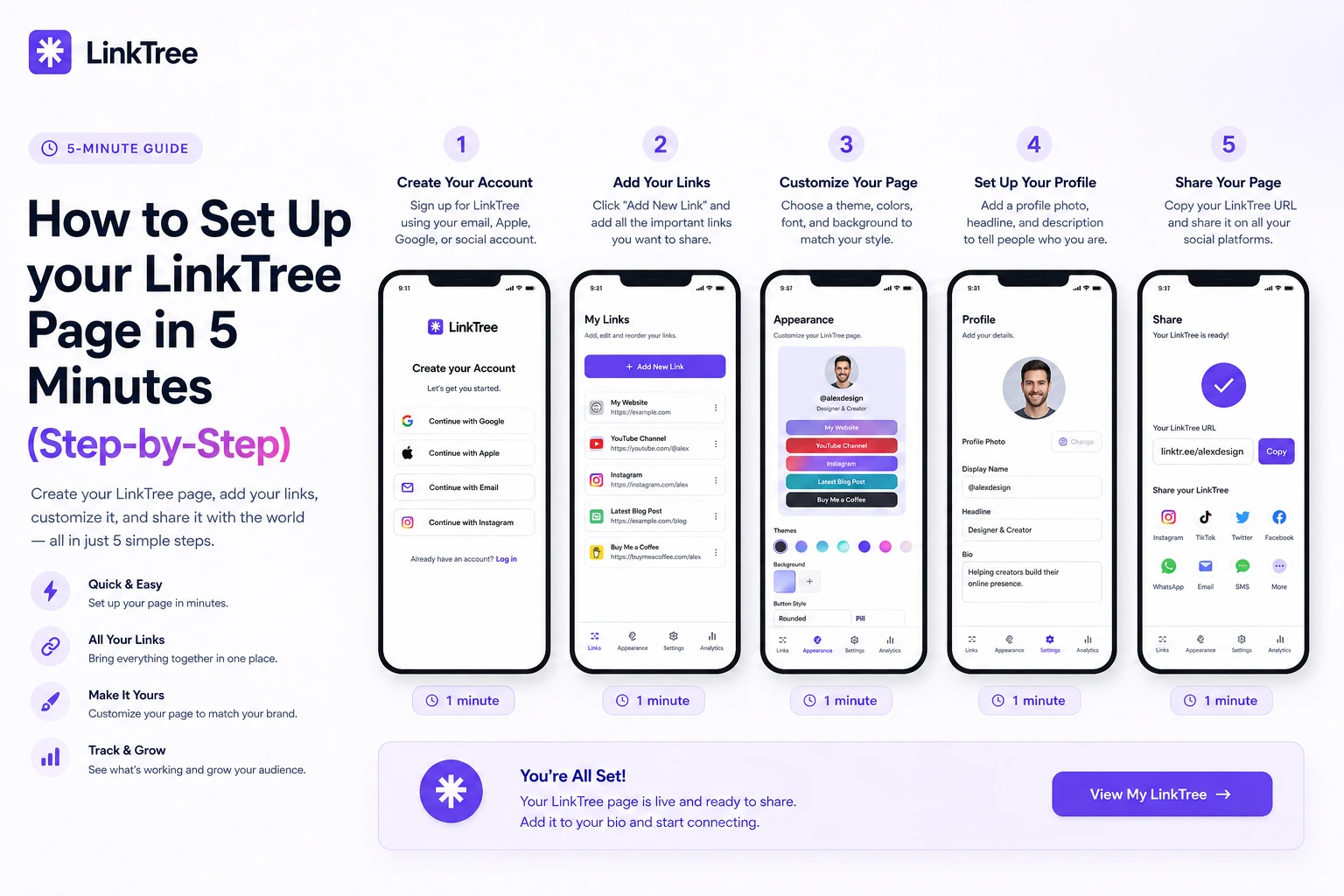
Step-by-step: sign up, choose a username, add links, pick a theme, and publish your free LinkTree page—ready to paste in Instagram, TikTok, and more.
Quick answer: To set up LinkTree: (1) register free, (2) choose a username, (3) add links, (4) pick a theme, (5) paste yoursite.com/username in your social bios. Most people finish in about five minutes.
Step 1: Create your account
Use email signup at /register. No credit card is required. Your username becomes your public URL path.
Step 2: Add your most important links
Start with three buttons:
- Your #1 money or growth link (shop, booking, or lead magnet)
- Your best recent content
- A backup (newsletter, free resource, or contact)
You can add unlimited links later—reorder by drag and drop.
Step 3: Customize appearance
Upload a profile photo, write a short bio, and choose one of 14 themes. Optional: custom background color or image under Appearance.
Step 4: Turn on extras that drive results
- Social icons for Instagram, TikTok, YouTube, and more
- Contact form if you want inbound leads
- Scheduled link if you are running a launch this week
Step 5: Publish everywhere
Copy your link from the dashboard and paste it into:
- Instagram → Edit profile → Website
- TikTok → Profile → Links
- YouTube → Channel → Links
- Email signature and link stickers
Browse the public profiles directory for inspiration.
What to do after launch
Check analytics after your next post. Move the highest-click link to position #1. Read our analytics guide for details.
Frequently asked questions
Can I change my username later?
Choose carefully—your URL is how fans remember you. Contact support if you need a exceptional change.
Is LinkTree only for Instagram?
No. Any platform that allows one bio link works—plus QR codes and email.