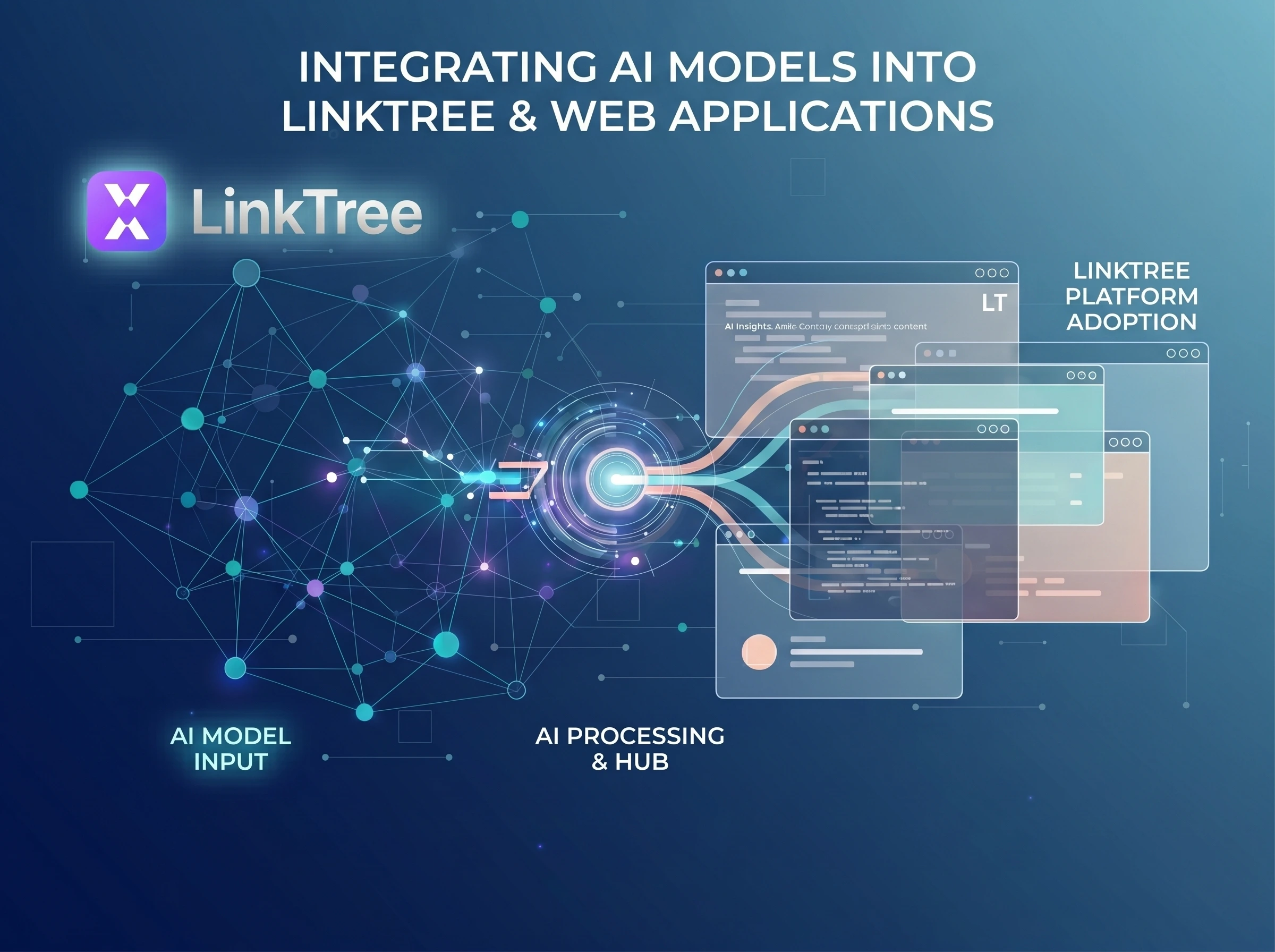
Transform your web applications with AI. Learn strategies, tools, and best practices for successfully integrating AI models into web applications for smarter user experiences.
The Dawn of Intelligent Web Applications: Why AI Integration is Crucial
In today's hyper-connected digital landscape, user expectations are soaring. Generic, static web experiences are quickly becoming a relic of the past. Users now demand personalized interactions, intelligent assistance, and predictive capabilities that anticipate their needs. This shift isn't just a trend; it's a fundamental transformation driven by the power of Artificial Intelligence.
For businesses and developers alike, the challenge and opportunity lie in harnessing this power. Successfully integrating AI models into web applications is no longer a luxury but a strategic imperative for staying competitive and delivering unparalleled value. Imagine web applications that can understand natural language, recommend products with uncanny accuracy, automate complex tasks, or even detect anomalies in real-time. This isn't science fiction; it's the present reality for those who embrace AI integration.
This comprehensive guide will equip you with the knowledge, strategies, and practical steps needed to navigate the exciting world of integrating AI models into web applications, transforming your digital presence into an intelligent, dynamic, and indispensable asset.
Why Integrate AI into Web Applications? The Business Imperative
The benefits of embedding AI capabilities directly into your web applications extend far beyond mere technological novelty. They translate into tangible business advantages, driving growth, efficiency, and customer loyalty.
Enhanced User Experience & Personalization
At the heart of every successful web application is a stellar user experience. AI elevates this by enabling deep personalization. From intelligent chatbots providing instant support and dynamic content recommendations based on browsing history, to personalized search results and adaptive UIs, AI creates a bespoke journey for each user. For instance, e-commerce platforms using AI for product recommendations see significant increases in conversion rates, with some studies showing up to a 26% boost in revenue from personalized recommendations alone (McKinsey & Company).
Operational Efficiency & Automation
AI can automate repetitive and time-consuming tasks within your web application's backend or user-facing processes. Think automated data entry, intelligent content moderation, or predictive maintenance alerts. This frees up human resources to focus on more complex, creative, and strategic tasks, leading to substantial cost savings and improved operational throughput. For example, AI-powered customer service automation can reduce support costs by up to 30% (Accenture).
Data-Driven Insights & Predictive Capabilities
Web applications generate vast amounts of data. AI models excel at sifting through this data to uncover hidden patterns, predict future trends, and provide actionable insights that human analysis might miss. This can inform strategic business decisions, optimize marketing campaigns, identify potential security threats before they materialize, or even predict user churn. The global AI market is projected to reach over $738 billion by 2030 (Statista), underscoring the immense value businesses place on these capabilities.
"AI is not just a tool; it's a paradigm shift that allows web applications to evolve from mere interfaces into intelligent partners, anticipating needs and delivering unparalleled value."
Key Considerations Before Integrating AI Models
Before diving headfirst into implementation, a thoughtful strategic assessment is crucial. Successful AI integration hinges on understanding the unique challenges and requirements your project presents.
Data Quality & Availability
AI models are only as good as the data they're trained on. Do you have access to sufficient, high-quality, and relevant data? Is it clean, unbiased, and properly formatted? A robust data strategy, including collection, storage, preprocessing, and ongoing management, is fundamental. Poor data will lead to poor model performance, regardless of how sophisticated the algorithm.
Model Selection & Performance
Will you use pre-trained models (e.g., from cloud providers like Google Cloud AI or AWS AI Services) or build custom models? Pre-trained models offer speed and ease of use but might lack domain-specific nuance. Custom models offer precision but require significant data, expertise, and computational resources. Consider the required accuracy, latency, and computational footprint for your specific use case. A model that performs well offline might struggle under real-time web application load.
Ethical AI & Data Privacy
Integrating AI brings significant ethical responsibilities. How will you ensure fairness, transparency, and accountability in your AI systems? What are the implications for user privacy, especially with sensitive data? Adhering to regulations like GDPR and CCPA, implementing privacy-by-design principles, and clearly communicating data usage to users are paramount. Bias in AI models can lead to discriminatory outcomes, so diligent testing and mitigation strategies are essential.
Scalability & Latency
Web applications often experience fluctuating user loads. Can your AI infrastructure scale effectively to meet demand without compromising performance? Latency — the time it takes for your AI model to process a request and return a response — is critical for a smooth user experience. Real-time applications demand low latency, which influences architectural choices (client-side vs. server-side AI, edge computing).
Cost Implications
Developing, deploying, and maintaining AI models can be resource-intensive. Factor in costs for data storage, computational power (especially for training and inference), specialized talent, and ongoing monitoring. Cloud AI services often offer pay-as-you-go models, which can be cost-effective for initial deployment but require careful monitoring as usage scales.
Architectural Patterns for AI Integration
The way you structure your AI integration will significantly impact performance, scalability, and development complexity. There are three primary architectural patterns when integrating AI models into web applications:
Client-Side AI Integration (Browser-Based)
In this pattern, the AI model runs directly within the user's web browser. Frameworks like TensorFlow.js or ONNX Runtime Web enable this by converting pre-trained models into JavaScript-compatible formats. This approach leverages the user's device processing power.
- Pros: Low latency (no network roundtrip), privacy-preserving (data stays on the client), reduced server load, works offline.
- Cons: Limited model complexity/size (browser memory constraints), depends on client device performance, initial download size of the model can be large.
- Use Cases: Real-time interactive features (e.g., live pose estimation, simple image classification, text summarization on local data), enhancing accessibility.
Server-Side AI Integration (API-Driven)
This is the most common approach. The AI model resides on a server (either your own or a cloud provider's) and is accessed by the web application via an API (e.g., RESTful, gRPC). The web application sends data to the server, and the server returns the AI model's prediction or output.
- Pros: Can handle complex and large models, centralized model management and updates, not dependent on client device performance, enhanced security for proprietary models and data.
- Cons: Latency due to network roundtrip, increased server costs, requires robust API design and management.
- Use Cases: Natural Language Processing (NLP), sophisticated image recognition, recommendation engines, complex predictive analytics, fraud detection.
Hybrid Approaches
A hybrid model combines the best of both worlds. For example, a lightweight AI model might run client-side for immediate feedback, while a more powerful, complex model on the server handles deeper analysis or less time-sensitive tasks. Another approach could involve client-side preprocessing of data before sending it to a server-side model for inference, reducing payload size and improving efficiency.
- Pros: Optimized performance, leverages client capabilities while maintaining server power, flexibility.
- Cons: Increased architectural complexity, requires careful orchestration.
- Use Cases: Real-time input validation with server-side deeper analysis, augmented reality applications, dynamic content loading.
A Step-by-Step Guide to Integrating AI Models into Web Applications
Ready to bring intelligence to your web presence? Here’s a practical roadmap for integrating AI models into web applications:
Define Your Use Case & Data Strategy
- Clearly articulate the problem you're trying to solve or the value you want to add. Is it personalization, automation, or insights? Based on your use case, identify the data required. Where will it come from? How will it be collected, stored, and preprocessed? This foundational step is critical for success.
Choose Your AI Model (Pre-trained or Custom)
- Evaluate whether a readily available pre-trained model (e.g., Google's Vision AI for image analysis, Amazon Comprehend for text analysis) meets your needs. If not, you'll need to develop and train a custom model using frameworks like TensorFlow or PyTorch. Consider the trade-offs in terms of development time, cost, and accuracy.
Select Your Integration Method
- Based on your chosen model and performance requirements, decide on the architectural pattern: client-side, server-side (API), or hybrid. This will dictate your technology stack for the integration layer.
Prepare Your Data for Integration
- This involves cleaning, transforming, and formatting your web application's data so that it can be consumed by your AI model. This might include converting images to specific formats, tokenizing text, or scaling numerical data. Data pipelines (e.g., using Apache Kafka, Airflow) can automate this process.
Implement the AI Logic
- For Server-Side: Build an API endpoint (using frameworks like Flask, Django, Node.js Express, or leveraging cloud functions like AWS Lambda, Google Cloud Functions) that receives requests from your web app, processes them through the AI model, and returns the results.
- For Client-Side: Embed the AI model (e.g., TensorFlow.js model) directly into your frontend JavaScript code. Load the model and write functions to feed data to it and display predictions.
Test, Monitor, and Iterate
- Thoroughly test the integrated AI feature for functionality, performance (latency, throughput), and accuracy. Implement robust monitoring (e.g., using Prometheus, Grafana, cloud monitoring tools) to track model performance, identify drift, and detect issues. AI models are not static; they require continuous monitoring, retraining, and updates to maintain relevance and accuracy. Establish an MLOps pipeline for efficient iteration.
Essential Tools and Technologies for AI Integration
The ecosystem for AI development and integration is vast and rapidly evolving. Here are some key categories of tools and technologies that will be indispensable:
Cloud AI Platforms
Cloud providers offer comprehensive suites of AI/ML services that significantly simplify integrating AI models:
- AWS AI/ML: Amazon SageMaker for building, training, and deploying models; Rekognition for image/video analysis; Comprehend for NLP; Polly for text-to-speech.
- Google Cloud AI Platform: AI Platform for ML lifecycle management; Vision AI, Natural Language API, Dialogflow for conversational AI.
- Microsoft Azure AI: Azure Machine Learning for end-to-end ML; Cognitive Services for vision, speech, language, and decision AI.
Machine Learning Frameworks & Libraries
For custom model development and deployment:
- TensorFlow & Keras: Open-source library for numerical computation and large-scale machine learning. Keras provides a high-level API for easy model building.
- PyTorch: Another powerful open-source ML library known for its flexibility and ease of use, especially in research.
- Scikit-learn: A comprehensive library for traditional machine learning algorithms (classification, regression, clustering) in Python.
API Management & Orchestration
When dealing with server-side AI, managing your APIs effectively is crucial:
- API Gateways: Tools like AWS API Gateway, Google Cloud Endpoints, or open-source solutions like Kong or Apigee help manage, secure, and scale your AI APIs.
- Containerization (Docker) & Orchestration (Kubernetes): Essential for packaging your AI models and their dependencies into portable containers, and for managing their deployment, scaling, and operations across clusters.
- Web Frameworks: Python's Flask or Django, Node.js's Express, or Ruby on Rails provide the foundation for building the web application and its API endpoints that interact with your AI models.
Best Practices and Future Trends
As you embark on your journey of integrating AI models into web applications, keep these best practices in mind, and look ahead to emerging trends:
Best Practices:
- Start Small, Iterate Fast: Begin with a clear, well-defined use case that delivers immediate value. Don't try to solve all problems at once.
- Focus on User Value: AI should enhance the user experience, not complicate it. Ensure your AI features are intuitive and genuinely helpful.
- Secure Your Data & Models: Implement robust security measures for data in transit and at rest, and protect your intellectual property within your AI models.
- Monitor & Maintain: AI models degrade over time (model drift). Continuous monitoring, retraining, and A/B testing are vital for sustained performance.
- Embrace Explainability (XAI): Strive to understand why your AI models make certain predictions, especially in critical applications. This builds trust and aids debugging.
- Prioritize Ethical AI: Regularly audit your models for bias, ensure transparency, and adhere to privacy regulations.
Future Trends in AI for Web Applications:
- Edge AI: Deploying AI models closer to the data source (e.g., on mobile devices, IoT devices, or even within the browser) for ultra-low latency and enhanced privacy.
- MLOps: The practice of applying DevOps principles to machine learning, streamlining the entire ML lifecycle from development to deployment and monitoring.
- Generative AI: Beyond predictions, AI models capable of generating new content — text, images, code — will revolutionize content creation and dynamic interfaces.
- Multimodal AI: Models that can process and understand multiple types of data simultaneously (e.g., text, images, audio, video) will enable richer, more human-like interactions.
Conclusion: The Intelligent Web Awaits
The journey of integrating AI models into web applications is transformative. It's about moving beyond static interfaces to create dynamic, responsive, and intelligent experiences that genuinely understand and anticipate user needs. While the path involves technical challenges and strategic considerations, the rewards — from unparalleled personalization and operational efficiency to profound data-driven insights — are immense.
By carefully planning your data strategy, selecting the right architectural patterns, leveraging powerful tools, and adhering to best practices, you can successfully embed AI into the core of your web applications. The future of the web is intelligent, and by embracing AI integration today, you're not just building applications; you're crafting the next generation of digital experiences that will captivate, empower, and serve users in ways previously unimaginable.